


Reface: Face Swap AI Generator
3.756.96K Reviews
App Specs
- Version
- 6.19.0
- Updated On
- License
- Free
- Downloads
- 100,000,000+
- Developer
- NEOCORTEXT, INC.
- Categories
- Photography
- Platform
- Android, iOS
Screenshots
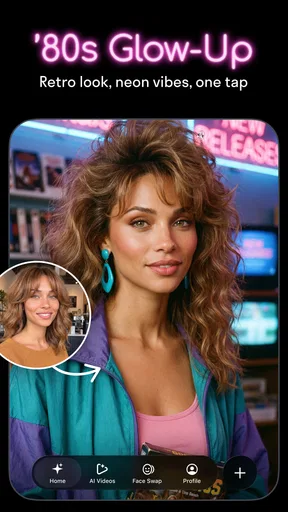
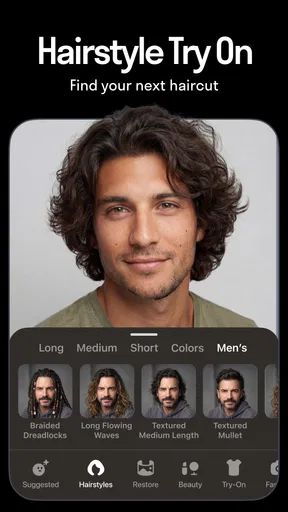

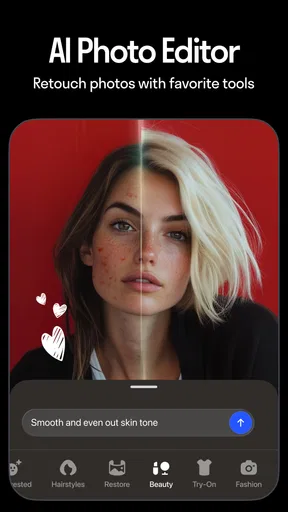
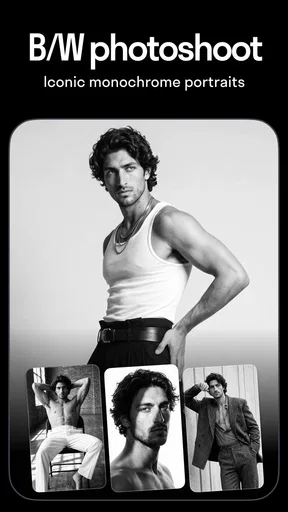
 Analysis by AppCompare
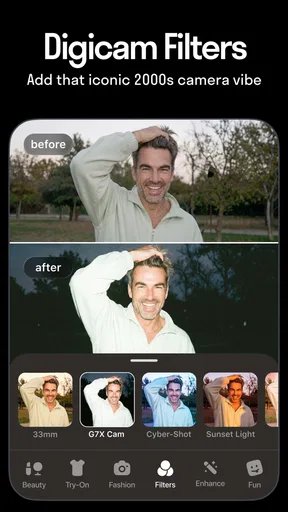
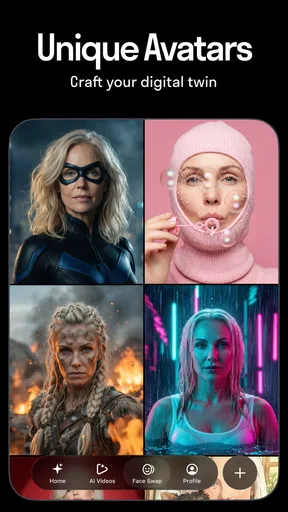
I’d judge Reface less by how startling a single result looks and more by whether it fits the way you want to make and share images. It is a photography app from NEOCORTEXT, INC. built around playful AI edits: putting a face into a visual, trying a different hairstyle, or applying filters to photos and videos. That makes it a different proposition from a conventional camera editor, where the main goal is usually to adjust the picture you already took. Here, the appeal is changing the premise of the picture.
That distinction matters if you’re deciding what to install. If you want a quick joke for a group chat, a surprising profile image, or a playful way to test a look, Reface is easy to understand. If you need precise retouching, dependable hair-color advice, or a polished image for work, I’d reach for a dedicated editor instead. Reface is strongest when the result is meant to amuse or spark a reaction, not when every detail has to be accurate.
Choose it for the kind of edit you actually want
The first question I’d ask is whether you want to enhance a photo or transform it. Traditional photo editors tend to offer hands-on control over things like color, cropping, and blemishes. Reface takes a more playful route, using AI effects to change how a face appears in a selected image or video. That can make it more immediately entertaining, but it also means you may have less control over the final look than you would with a manual editing workflow.
It helps to begin with a clear, front-facing selfie and good, even light. That isn’t a guarantee of a perfect result, but it gives the effect a more useful starting point than a dim photo, an angled face, or a picture with hair covering much of the face. I’d keep a couple of selfies with different expressions available, too: a neutral one is a sensible first try, while a broad smile can suit some playful scenes better. Comparing them is a quick way to learn what works without treating the first output as the only possible outcome.
Where the playful approach works best
Reface is most convincing as a source of lightweight entertainment. Imagine a quiet evening when friends are trading pictures in a chat: instead of sending another ordinary selfie, you can try a visual swap, compare a couple of results, and share the one that gets the biggest laugh. The same idea works for a birthday greeting or a silly reaction image, where a slightly imperfect blend may still be part of the joke rather than a flaw that ruins the result.
There’s also a useful distinction between trying a hairstyle for fun and using an edited image to make a real salon decision. A filter can help you picture a broad change, but it shouldn’t be treated as a reliable preview of how a cut or style will sit on you. Lighting, face angle, and the way the effect fits the image can all shape what you see. I’d use it to explore an idea, then discuss the actual cut with a stylist rather than showing an AI result as a precise specification.
Because the app combines effects for pictures and videos, it can serve people who want more than a static edit. Still, I’d choose the source material with the final destination in mind. A compact, simple image is easier to judge at a glance; a busy scene can make it harder to notice whether the face treatment looks natural. For a quick share, that may not matter. For a picture you plan to keep or reuse, it’s worth checking the result at full size before sending it on.
Worth Reading Before You Choose

Baby Panda World Brings Quick Play to Modern Phones, but Its Game Library Feels Busy

ESPN’s Live Game View Makes Following Close Games Easier

QuizzLand Review: A Good Fit for Short Trivia Breaks, Not Every Player

Basketball Stars: Multiplayer Is Fast, but Can It Recover When Matches Go Wrong?

WEBTOON Turns Phone Updates Into a Better Reading Routine

Link to Windows Runs on Shared Habits, Not Social Feeds
When another kind of app is a better fit
If your priority is careful photo correction, a standard editor is the more sensible choice. It gives you a workflow centered on the original image, rather than asking you to start with an AI transformation. If you want to design a consistent set of social graphics, a layout-focused app may suit you better, while a dedicated portrait retoucher is a stronger match for subtle skin or lighting adjustments. These alternatives are not necessarily more fun; they simply solve different problems with more direct control.
I’d also skip Reface if you dislike effects that can look artificial or if you need a result to pass as an untouched photograph. AI face edits are inherently transformative, and a convincing blend in one scene does not mean every image will look equally seamless. Try a few source photos before deciding the app is a fit, and don’t build an important presentation around an effect you have not tested on the exact image you plan to use.
What to know before you spend time or money
Reface is free to download, with in-app purchases ranging from $0.99 to $79.99 per item. I’d start without paying and see whether the available experience suits your habits before considering a purchase. The free experience may include advertising and locked content, so the practical question is not simply whether the app is entertaining, but whether you use it often enough to value the paid options. Check the price shown for the specific item in the app before buying, and make sure you understand whether it is a one-time purchase or another kind of offer.
It is rated Mature 17+, so it is not an app I’d treat as a casual choice for younger children. The rating is a good reason for adults to check the current store information and make their own judgment about suitability before handing over a device. Reface has a 3.7 average from around 1.8 million ratings and has passed 100 million installs; that scale suggests broad interest, but it doesn’t tell you whether its style, ads, or purchase options will suit you personally.
Before using a personal photo, I’d also take a moment to review the permissions and privacy settings presented on your device. Since the app’s purpose involves working with faces and photos, it is sensible to choose images you’re comfortable using and sharing, and to think before uploading someone else’s face. A joke can travel further than you intend once it leaves a private chat, so I’d get a friend’s okay before making their likeness part of a post.
For a first test, use a selfie you are comfortable experimenting with, try one effect, and inspect the finished image before sharing. If the result is close but not quite right, switch to a clearer photo or adjust your angle rather than repeatedly forcing the same source image to work. That small change is often a better use of time than expecting an AI effect to repair poor lighting or an obstructed face.
Reface runs on Android and iOS, and its current version is 6.14.0, with Android support beginning at OS version 9. If you’re changing phones or reinstalling, the main adjustment is likely to be learning where the current app places its effects and purchase prompts; I’d avoid assuming every screen will look exactly like someone else’s tutorial. The app has been available since December 23, 2019, so it is an established option rather than a brand-new experiment, but the experience can still change as the app is updated.
If you’re asking whether you need a subscription to enjoy it, you don’t need to make that decision before trying the free download. If you’re wondering whether it can replace your usual editor, I’d say no: it complements a manual editor when you want a playful transformation, but it is not the tool I’d pick for precise corrections. And if you’re unsure whether a result is suitable to post, treat it like any edited image: check the context, consider whether viewers could mistake it for a real event, and label or explain it when that distinction matters.
A practical recommendation
I’d recommend Reface to adults who enjoy quick visual jokes, want to experiment with AI face effects, or like having a low-effort idea for a group chat. I’d be more cautious if you’re sensitive to advertising, unwilling to consider in-app purchases, or looking for exact creative control. It is also a poor fit for anyone who wants hairstyle previews they can trust as a prediction, or photo edits that must look completely natural under close inspection.
My decision rule is simple: choose Reface when the point is to play with your image, and choose a conventional editor when the point is to refine it. That keeps expectations in the right place and makes it easier to judge the results fairly. For a free app with a clear entertainment angle, it is worth trying if you’re curious; just test it with an ordinary selfie before relying on it for a special occasion or paying for extra access.
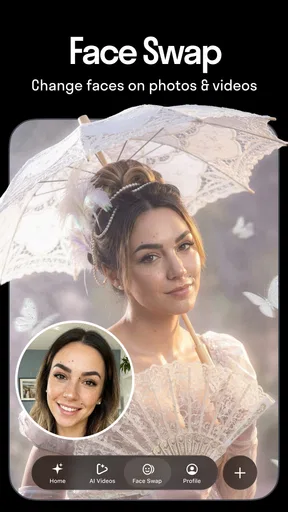
If you've ever wondered what it would be like to see your face on a movie character or even in a meme, Reface might just be the app you need. Available for both Android and iOS, this app uses groundbreaking AI technology to seamlessly swap your face into just about any video or GIF. Let me walk you through my experience with this entertaining app.
First Impressions
Downloading Reface was a breeze. It's a lightweight app that doesn't hog storage, which is always a plus. Once installed, I was greeted by a user-friendly interface that made navigation intuitive even for someone who's not tech-savvy. The app prompts you to take a selfie, and that's where the magic begins.
How It Works
The AI technology behind Reface is genuinely impressive. After snapping a quick selfie, I was able to choose from a vast library of videos, GIFs, and images to try out the face swap feature. The app quickly worked its magic, and in seconds, there I was, starring in a scene from my favorite movie. It's almost eerie how realistic the swaps look.
One thing I appreciated was the app's attention to detail. The face swaps are not just pasted over; they blend in, capturing facial expressions and movements, which adds to the authenticity of the final product.
Features Galore
Beyond the face swap, Reface offers a plethora of features to keep you entertained. The "Swap Mode" lets you see yourself in various outfits and hairstyles, which is not only fun but also a great way to experiment with new looks. The "GIF Mode" is perfect for social media enthusiasts wanting to create shareable content quickly.
Another nifty feature is the "Live Mode," where you can see your face swapped in real-time. It's a bit like looking into a mirror, but with a twist. The app also updates its content regularly, so there's always something new to try.
A Few Things to Consider
While Reface is loads of fun, it's worth noting that the free version has some limitations. There are ads, and some premium content is locked. However, the subscription is reasonably priced, and if you're someone who loves creating and sharing fun content, it might be worth the investment.
Privacy is another aspect to consider. The app requires access to your camera and photos, which is standard for such apps, but it's always good to be cautious and check privacy settings.
Final Thoughts
Overall, Reface is a fantastic app for anyone looking to add a bit of fun to their digital life. Whether you're swapping faces with celebrities, creating hilarious memes, or just exploring different looks, this app has it all. It's easy to use, delivers realistic results, and most importantly, it's a great way to entertain yourself and your friends.
So, if you're ready to see yourself in a whole new light, give Reface a try. You might just find your new favorite pastime!
Pros
- Easy-to-use interface for quick swaps.
- Realistic results with advanced AI tech.
- Multiple templates for creative options.
- Regular updates with new features.
- No significant lag or performance issues.
Cons
- Free version has limited features.
- Occasional mismatches in face alignment.
- Requires internet for most functionalities.
- Ads can be intrusive in the free version.
- Subscription cost may be high for some.
FAQs for Reface: Face Swap AI Generator
What is Reface: Face Swap AI Generator?
Reface is a popular mobile application that allows users to swap faces in videos, GIFs, and memes using advanced AI technology. It provides a fun and entertaining way to create personalized content by placing your face onto various characters from movies, TV shows, and more. The app is available for both Android and iOS devices.
How does Reface ensure the privacy of user data?
Reface takes user privacy seriously and employs encryption to safeguard personal data. The app does not store facial recognition data permanently. Instead, it processes images temporarily to provide the face-swapping service. Users are encouraged to review the app’s privacy policy for detailed information on data handling practices.
Is Reface free to use, or are there any in-app purchases?
Reface offers a free version with limited features, allowing users to explore basic face-swapping functionalities. However, for an enhanced experience, including access to premium content and ad-free usage, users can opt for a subscription through in-app purchases. Pricing details are available within the app store.
Can I use Reface offline, or does it require an internet connection?
Reface requires an active internet connection to function properly. The app uses cloud-based AI technology to process images and videos, necessitating a connection for uploading and downloading data. Users may experience limited functionality or inability to use the app while offline.
Are there any device requirements for installing Reface?
Reface is compatible with most modern Android and iOS devices. However, to ensure optimal performance, it is recommended to have a device with a recent operating system version and sufficient processing power. Users can check the specific compatibility requirements on the app's page in the respective app store before downloading.


